

A client books online at 10:30 p.m. They show up the next day a few minutes late, coffee in hand, and you slide over a clipboard. They rush through half the questions, skip the medication section because they’re unsure what matters, and sign the consent block without reading it. You now have a treatment decision to make based on incomplete information and a first impression that feels more administrative than therapeutic.
That’s the core problem with weak intake forms for massage therapists. It isn’t just ugly paperwork. It’s friction at the exact moment a client is deciding whether your practice feels organized, safe, and worth returning to.
A strong intake process does three jobs at once. It helps you screen for contraindications, it makes consent and policies clear, and it removes the small annoyances that cause clients to disengage before the session even starts. When the form is digital, mobile-friendly, and thoughtfully structured, it stops feeling like a hurdle and starts acting like part of the service.
Table of Contents
- Why Your Intake Form Is More Than Just Paperwork
- The Anatomy of a Perfect Massage Intake Form
- Designing for a Seamless Client Experience
- Advanced Features to Boost Safety and Completion
- Navigating Privacy and Legal Compliance
- Integrating Forms into Your Practice Workflow
- Frequently Asked Questions
Why Your Intake Form Is More Than Just Paperwork
If your intake form only exists because you know you’re supposed to have one, you’re leaving a lot on the table. The form is part screening tool, part consent record, and part client experience design. That’s true whether you work solo, run a small clinic, or manage a multi-therapist practice.
The safety side is obvious. You need to know about health conditions, medications, surgeries, injuries, allergies, and pregnancy status before you start. But the business side matters too. The intake form is often the first substantial interaction a client has with your practice after booking.
A rushed paper process creates avoidable errors. Handwriting gets misread. Checkbox sections are skipped. Follow-up questions happen in the treatment room instead of before it. That wastes time and can make clients feel like the practice is improvising.
Practical rule: If a client can complete intake before arrival, you should assume they expect that option.
There’s also a professional risk if documentation is thin. Approximately 30% of disciplinary actions against licensed massage therapists stem from ethical or professional standard violations, and thorough pre-treatment documentation can mitigate many of those issues, according to the FSMTB data cited here.
That number matters because it reframes intake. You’re not just collecting facts. You’re documenting judgment, consent, and standard of care.
A well-built form helps you do all of this:
- Protect the client: It surfaces contraindications before hands-on work begins.
- Protect the practice: It records informed consent and key disclosures.
- Improve session quality: It tells you why the client booked and what they want from the session.
- Set the tone: It signals that your practice is attentive, structured, and modern.
Paper still has a place in some offices. It works when internet access is unreliable, when a client strongly prefers handwritten completion, or when you need a backup process. But paper tends to create friction at the front desk, not remove it.
Digital intake forms for massage therapists work best when they aren’t just scanned versions of old PDFs. They need to be designed for how people complete forms now. Usually on a phone, often quickly, and with limited patience for irrelevant questions.
The Anatomy of a Perfect Massage Intake Form
A complete form doesn’t have to be long. It has to be structured. The easiest way to build one is to think in sections that reflect how you assess risk and plan treatment.
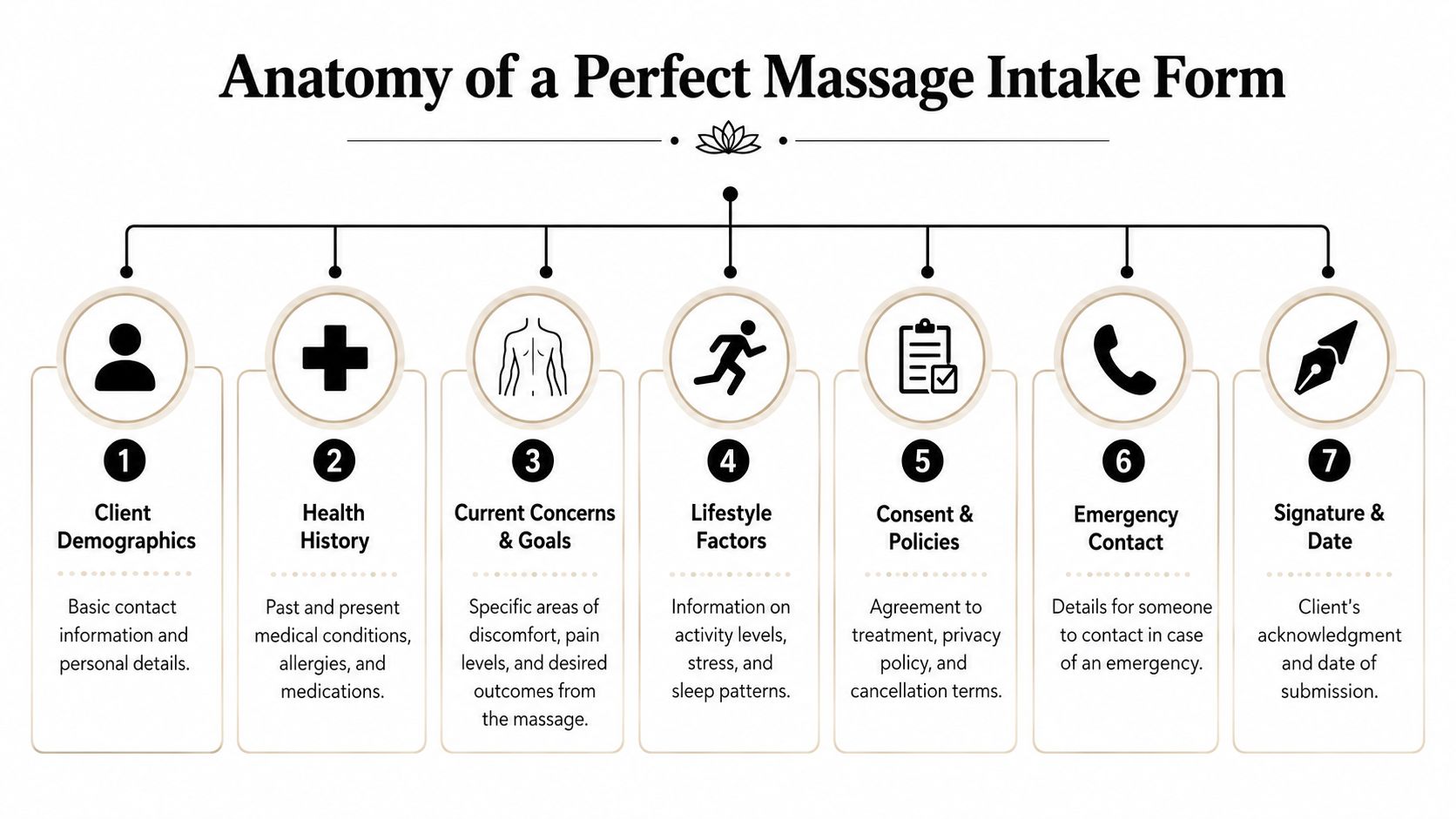
Client information and contact details
Start with the basics, but make them useful. Name, date of birth, phone, email, and emergency contact are standard. Don’t bury these inside a longer section. Keep them short and fast so the client gets early momentum.
You also want practical scheduling context. If your system allows it, include preferred contact method and permission to send appointment reminders or follow-ups. For digital form design, choosing the right field type matters as much as the question itself. A clear guide to types of form fields can help you decide when to use dropdowns, checkboxes, long text, signatures, and date inputs.
Useful prompts include:
- Primary reason for today’s appointment
- Any areas you want to focus on
- Any areas you want avoided
- Emergency contact name and phone number
A common mistake is asking open-ended questions too early. “Tell me about your health” creates vague answers. Structured prompts get cleaner data.
Medical history and contraindications
This is the core clinical section. It needs to be clear, specific, and easy to scan later. Clients often don’t know what counts as relevant unless you guide them.
Ask directly about:
- Current medical conditions
- Recent injuries
- Past surgeries
- Allergies or skin sensitivities
- Current medications
- Pregnancy status
- Pain areas and movement limitations
For pain-related sessions, I prefer a combination of checkbox categories and one short open text field. That lets clients identify the issue without forcing them to write a narrative on a phone keyboard.
A good health history section doesn’t ask clients to diagnose themselves. It asks them to disclose what might change the session.
Red flags should trigger follow-up questions, not guesswork. If a client indicates recent surgery, ask when it occurred and whether they’ve been cleared for massage. If they select pregnancy, ask whether the session is prenatal and whether there are any complications they want disclosed before treatment.
Informed consent and practice policies
This section is where many forms go soft. They include a giant waiver block that almost nobody reads. That approach is bad for comprehension and bad for documentation.
Separate policies into readable parts:
- Massage scope and limitations
- Consent to treatment
- Right to stop or modify pressure
- Cancellation and late arrival policy
- Draping and professional boundaries
- Privacy and record storage notice
- Billing or package terms if relevant
Keep the language plain. Clients should understand exactly what they’re agreeing to without needing a legal translation.
Here’s a practical checklist for the full form.
| Section | Key Items to Include | Purpose |
|---|---|---|
| Client demographics | Full name, date of birth, phone, email, address | Identify the client and support scheduling and communication |
| Emergency contact | Contact name, relationship, phone number | Provide a point of contact if an issue arises during care |
| Health history | Diagnosed conditions, surgeries, allergies, medications, pregnancy status | Screen for contraindications and guide treatment decisions |
| Current concerns and goals | Pain areas, stress level, mobility limits, treatment goals | Personalize the session and align expectations |
| Session preferences | Pressure preference, focus areas, areas to avoid | Improve comfort and reduce mid-session corrections |
| Consent and policies | Scope of practice, cancellation terms, draping, privacy notice | Document understanding and set professional boundaries |
| Signature and date | Digital signature, submission date | Confirm acknowledgment and create a usable record |
If you’re unsure whether to include a question, use this filter. Will the answer affect safety, consent, communication, or treatment planning? If not, it probably doesn’t belong on the intake form.
Designing for a Seamless Client Experience
Clients judge the quality of a practice before the appointment starts. They do it through your booking flow, confirmation emails, reminders, and intake process. If the form feels awkward, cluttered, or endless, they don’t separate that from your hands-on care. It all blends into one impression.

What clients actually want
The preference for digital intake is no longer niche. 77% of patients prefer completing intake forms digitally before their visit, and 65% would consider switching to providers offering better digital convenience, according to this MassageBook summary.
That doesn’t mean every digital form is good. Plenty of them are just bad paper forms placed on a screen. The lesson isn’t “go digital.” It’s “design for completion.”
If you want clients to finish accurately, respect the context in which they’re filling out the form. Usually they’re on a phone. Often they’re distracted. Sometimes they’re trying to book during a commute, lunch break, or late at night.
A client-friendly intake form feels short even when it’s collecting serious information.
What a low-friction form looks like
The fastest way to improve completion is to simplify the experience visually. Keep one idea per screen when possible. Use large enough text, obvious buttons, and short instructions. If you need a pain score, don’t hide it inside a paragraph. Make it easy to tap.
A few design choices consistently work better than dense layouts:
- Break the form into steps: Personal info, health history, goals, consent.
- Use the right input control: Checkboxes for conditions, date pickers for surgeries, sliders or scales for pain.
- Keep helper text short: Explain only what the client needs to answer correctly.
- Design for accessibility: High contrast, logical tab order, readable labels, and fields that work with assistive technology.
- Show progress: Clients are more patient when they know how much is left.
Many of the same principles used in customer research forms apply here. These survey design best practices are especially useful when you’re trying to reduce drop-off without sacrificing answer quality.
What doesn’t work is trying to prove professionalism through volume. A long intake form can feel thorough to the therapist and exhausting to the client. Better structure beats more questions.
If you need extra detail for a specialty service like prenatal, oncology-informed, or sports massage, use branching questions or service-specific add-ons. Don’t make every client wade through every scenario.
Advanced Features to Boost Safety and Completion
Basic digital forms solve legibility. Smarter forms solve relevance. That distinction matters because most drop-off happens when clients hit the demanding parts of the intake, not the easy parts.
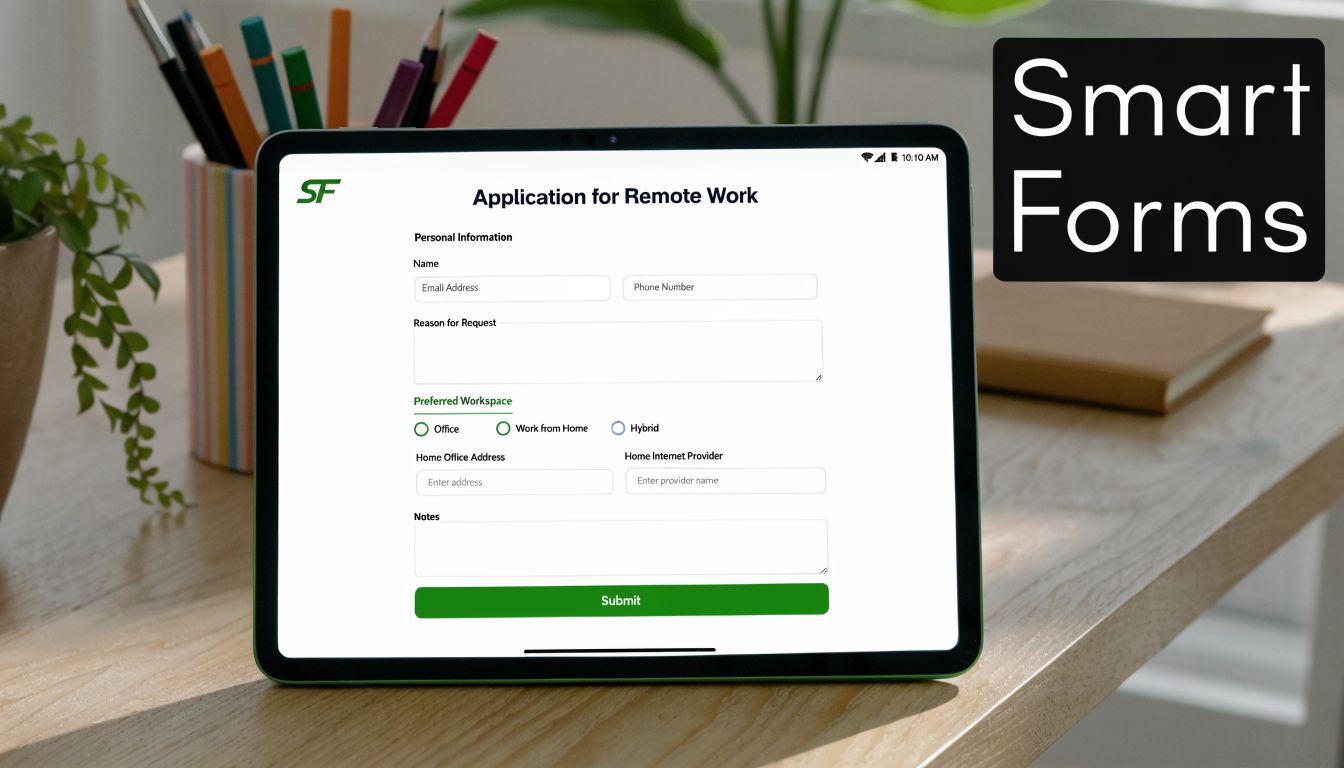
Medical history sections generate 31% to 43% higher abandonment rates than basic contact sections, according to the technical analysis summarized here. That lines up with what many practices already feel operationally. Clients don’t mind typing their name. They hesitate when the form becomes cognitively heavier.
Use logic to shorten the form without losing detail
Conditional logic is the feature that changes the game. Instead of showing every possible question to every client, the form reacts to what they’ve already entered.
Examples:
- Pregnancy selected: Show trimester, complications, and provider clearance follow-up questions.
- Recent surgery selected: Ask date, body area, and whether touch restrictions apply.
- Headaches or migraines selected: Ask frequency and whether they’re currently symptomatic.
- No medical issues selected: Skip the irrelevant branches and move forward.
This makes forms feel shorter because, for most clients, they are shorter. It also produces better records because the detail appears only when it matters.
One practical addition is tighter validation. If a required health disclosure is left incomplete, the form should explain what’s missing in plain language. These form validation examples are useful if you’re refining error states and required field behavior.
For therapists who want a no-code option, BuildForm can handle conditional flows, partial submission tracking, real-time notifications, and branded mobile-friendly forms. Used well, features like those help practices catch incomplete intake before the appointment instead of discovering gaps at check-in.
Add better inputs for better answers
A text box is flexible, but it’s often the wrong tool. If you want precise information, use more precise inputs.
Try these upgrades:
- Body diagrams: Let clients indicate pain or tension zones visually.
- Checkbox condition lists: Faster and more complete than asking people to recall everything in a blank field.
- Pain scales: Useful when paired with a short note about what aggravates the issue.
- Separate consent checkboxes: Easier to understand than one dense waiver paragraph.
Here’s a useful walkthrough of digital form setup and flow ideas:
The trade-off is setup time. Smart forms take longer to build than static forms. But once they’re in place, they reduce repetitive admin work and give you cleaner information before the client arrives.
Capture signatures and next steps in one flow
Don’t make the client finish the form and then complete consent somewhere else. Keep the sequence continuous. Health history, goals, policy acknowledgments, signature, confirmation. That order feels natural and keeps the legal record tied to the same submission.
If you collect deposits or prepayments, this is also the point where integration can help. The less handoff between systems, the fewer clients disappear between booking and arrival.
Navigating Privacy and Legal Compliance
Most therapists understand that client data is sensitive. The problem is that many intake systems treat privacy as a policy page instead of a daily workflow decision. Where data is collected, where it’s stored, who can access it, and how it’s updated all matter.

Privacy has to be operational
For a solo practitioner, privacy discipline starts with simple habits. Don’t leave completed forms open on a front desk screen. Don’t use a generic consumer app if you can’t control access. Don’t mix clinical intake data with casual inbox chaos if you can avoid it.
Use a secure form platform, restrict who can view submissions, and make sure records are stored in a consistent place. If you work with health-related data and want a broader explainer on what counts as especially sensitive information, AuditReady’s guida dati particolari is a helpful plain-language resource.
Private health information doesn’t become safer because the practice is small. Small practices still need disciplined systems.
Even if your operation is lean, clients expect professionalism around their data. That expectation affects trust as much as any policy statement.
Consent language can’t be generic
Compliance gets trickier when you assume one template works everywhere. It often doesn’t. Documentation and informed consent requirements for massage therapists can vary significantly from state to state, which creates risk for practices relying on static, one-size-fits-all forms, as noted in this discussion of massage intake form compliance.
That has practical consequences. A franchise, mobile therapist, telehealth-adjacent wellness business, or practitioner operating across state lines can’t assume the same consent wording covers every situation.
A better approach is to review these areas regularly:
- Consent wording: Is the language appropriate for your jurisdiction and services?
- Policy disclosures: Are cancellation, draping, boundaries, and billing terms current?
- Record retention practices: Are you storing submissions consistently and securely?
- Update workflow: Do returning clients review and confirm changes before treatment?
Generic templates are fine as a starting draft. They’re weak as a compliance strategy.
Integrating Forms into Your Practice Workflow
An intake form only helps if it reaches the client at the right time and lands in the right place after submission. The cleanest setups start the moment the appointment is booked.
A simple workflow that works
For most massage practices, this sequence is reliable:
- Send the intake form automatically after booking. Email works well, and SMS can help when completion speed matters.
- Trigger a reminder if the form isn’t finished. Don’t wait until the client is walking in.
- Review submissions before the appointment. That gives you time to flag contraindications or clarify missing details.
- Store the completed form with the client record. You want one place to find intake, consent, and future updates.
- Prompt returning clients to confirm changes. Don’t make them re-enter everything if nothing has changed.
This is where scheduling apps, client management systems, and notification tools earn their keep. If you’re comparing software stacks, this 2026 massage therapist software review is a practical place to see how different platforms handle forms, booking, and practice management together.
Where integrations matter most
The most useful integrations are simple ones. Booking software should trigger form delivery. Form completion should notify you or your staff. Client records should update without manual copy-paste.
The operational advantage isn’t flashy. It’s consistency. Clients receive the right form, you review it before treatment, and nothing important gets trapped in a clipboard stack or email thread.
Analytics help too. If clients keep abandoning the same part of the form, that’s a design problem you can fix instead of a mystery you keep tolerating.
Frequently Asked Questions
| Question | Answer |
|---|---|
| Do massage therapists still need paper forms if they go digital? | It’s smart to keep a backup option for rare situations like device failure or clients who can’t complete a digital form independently. But digital should be the default if you want smoother pre-visit completion and cleaner records. |
| What should I ask on a first-time client intake form? | Ask for contact details, emergency contact, health history, current concerns, treatment goals, session preferences, and informed consent acknowledgments. Keep every question tied to safety, communication, or treatment planning. |
| Should returning clients fill out the whole form again? | Usually no. A shorter update flow works better. Ask whether medications, diagnoses, injuries, surgeries, pregnancy status, or goals have changed since the last visit. |
| How long should a massage intake form be? | As short as possible without sacrificing safety or consent. Clients complete forms more accurately when questions are relevant and grouped logically. |
| Can one intake template work for every service? | Usually not. General massage, prenatal work, and specialty sessions often need different follow-up questions. Start with a shared core form, then add service-specific branches where needed. |
If you're ready to replace static paperwork with a smoother digital intake flow, BuildForm is worth a look. It’s an AI-powered form builder that supports conditional logic, branded mobile-friendly forms, analytics, and workflow integrations, which makes it a practical option for creating intake forms for massage therapists that clients complete.