

You launch a paid campaign, traffic arrives, and the form should do the easy part. Instead, people stall on a long mobile screen, abandon halfway through, or submit junk because the questions don't match their intent. Then someone on your team asks for one small tweak, and suddenly you're waiting on a developer, a sprint slot, or a plugin workaround.
That's why the no code form builder category matters. Not because drag and drop is convenient, though it is. It matters because forms sit at the point where attention turns into pipeline, revenue, registrations, feedback, or research data. If that handoff is clumsy, every upstream effort gets less valuable.
A good form builder doesn't just help you publish a form faster. It helps you ask better questions, adapt the experience in real time, route data where it belongs, and spot the exact point where people give up. That's the difference between a form that collects data and a form that drives outcomes.
Table of Contents
- Your Forms Are Leaking Leads and You Know It
- What Is a No-Code Form Builder Really
- The Core Features That Drive Form Conversions
- Key Use Cases and Calculating Your ROI
- How to Evaluate and Choose a No-Code Form Builder
- Avoiding Common Pitfalls with Form Builders
- How BuildForm Turns Data Capture into a Conversion Engine
Your Forms Are Leaking Leads and You Know It
A familiar scene plays out in marketing teams every week. The landing page is live. Ad creative is decent. Traffic is landing where it should. But the lead form converts worse than expected, mobile drop-off looks rough, and nobody can tell whether the problem is the headline, the field count, the conditional steps, or the handoff after submission.
The form often looks harmless. Name, email, company, job title, a dropdown, maybe a message box. But small bits of friction stack up fast. The wrong question appears too early. A field feels unnecessary. The layout gets awkward on a phone. The confirmation page doesn't match the user's intent.
Then comes the operational headache. Sales wants better qualification. RevOps wants cleaner data. Marketing wants to test a shorter version. Product wants a different path for enterprise leads. If the form is hard-coded or trapped inside a rigid plugin, each change becomes a mini project.
Forms rarely fail because teams don't care. They fail because the team can't iterate fast enough to match real user behavior.
That's where a no code form builder changes the job. It turns the form from a fixed asset into a working part of your conversion system. You can adjust questions, change logic, test paths, connect submissions to Slack or a CRM, and respond to what analytics show instead of guessing.
The payoff isn't just faster setup. It's fewer leaks between interest and action.
What Is a No-Code Form Builder Really
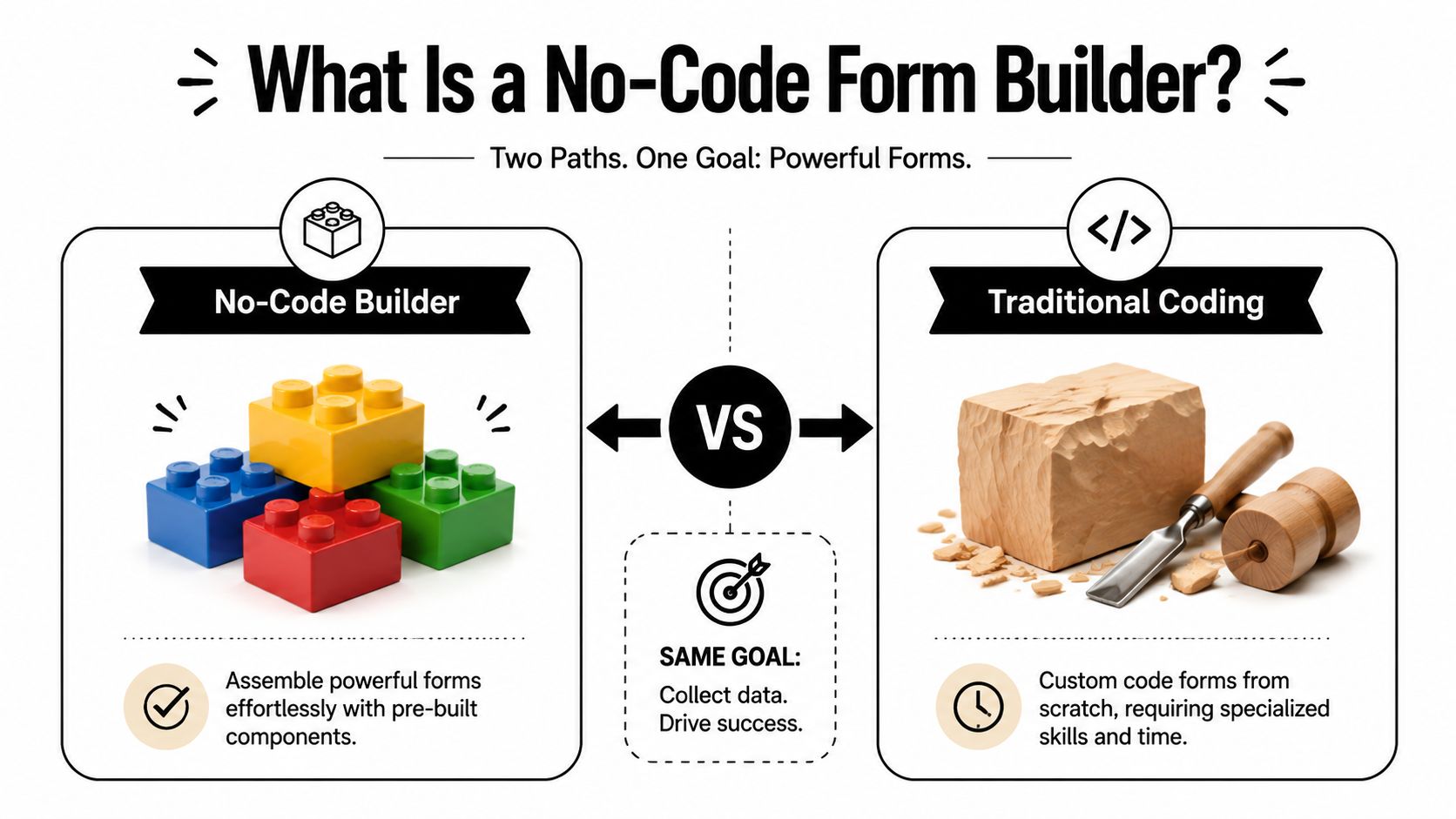
A no code form builder is easiest to understand with a simple comparison. It's the difference between building with smart LEGO blocks and carving a sculpture from raw wood.
With traditional coding, someone writes the structure, validation, logic, styling, and integrations manually. That can work well for highly custom projects, but it's slow, specialized, and expensive to change. One new branch in the form flow can mean developer time, QA, and another round of deployment.
With a no code form builder, the heavy lifting is already packaged into reusable components. Fields, buttons, rules, layouts, logic, and integrations are pre-built. Your team assembles them visually, then adjusts behavior without touching code.
That shift matters because forms aren't just an engineering artifact anymore. They belong to the people closest to the outcome. Marketing teams need lead capture. Sales teams need qualification. HR teams need registrations and applications. Researchers need structured responses. A no code tool gives those teams direct control.
According to Adalo's roundup of no-code market growth statistics, 65% of all apps are built without coding in 2025, and no-code solutions deliver 362% average ROI, save an average of $1.7 million annually, and support 90% faster launch times. Even if you never build a full app, that same shift explains why form creation has moved out of the dev queue and into everyday business workflows.
Why this feels different from old form tools
Older form tools often gave you basic fields and a submit button. If you needed branching logic, cleaner styling, better analytics, or CRM sync, you hit limits quickly.
Modern builders usually support things like:
- Visual assembly: drag fields, reorder sections, and update copy without code
- Conditional behavior: show different questions based on previous answers
- Templates: start from a contact form, survey, registration flow, or payment form
- Integrations: send submissions to CRMs, email tools, project systems, or chat apps
What teams actually gain
The biggest gain is control over timing. You don't have to wait for the next sprint to test a shorter form or personalize a path for a high-intent segment.
Practical rule: If the form owner can't update the form on the same day they spot a problem, the tool is too rigid.
That's the core promise of a no code form builder. Not “you never need developers.” More like “you only need developers for the rare cases that genuinely deserve custom code.”
The Core Features That Drive Form Conversions
The best form features matter because of the problems they solve. If you tie each feature back to a conversion obstacle, it gets much easier to decide what belongs in your stack.
Adaptive flows reduce friction
Most forms ask everyone the same questions in the same order. That's convenient for the builder, not for the user.
An adaptive form changes the path based on what someone already told you. A startup founder requesting a demo shouldn't see the same follow-up as a student downloading a resource. A shopper asking about bulk pricing shouldn't work through a generic support flow.
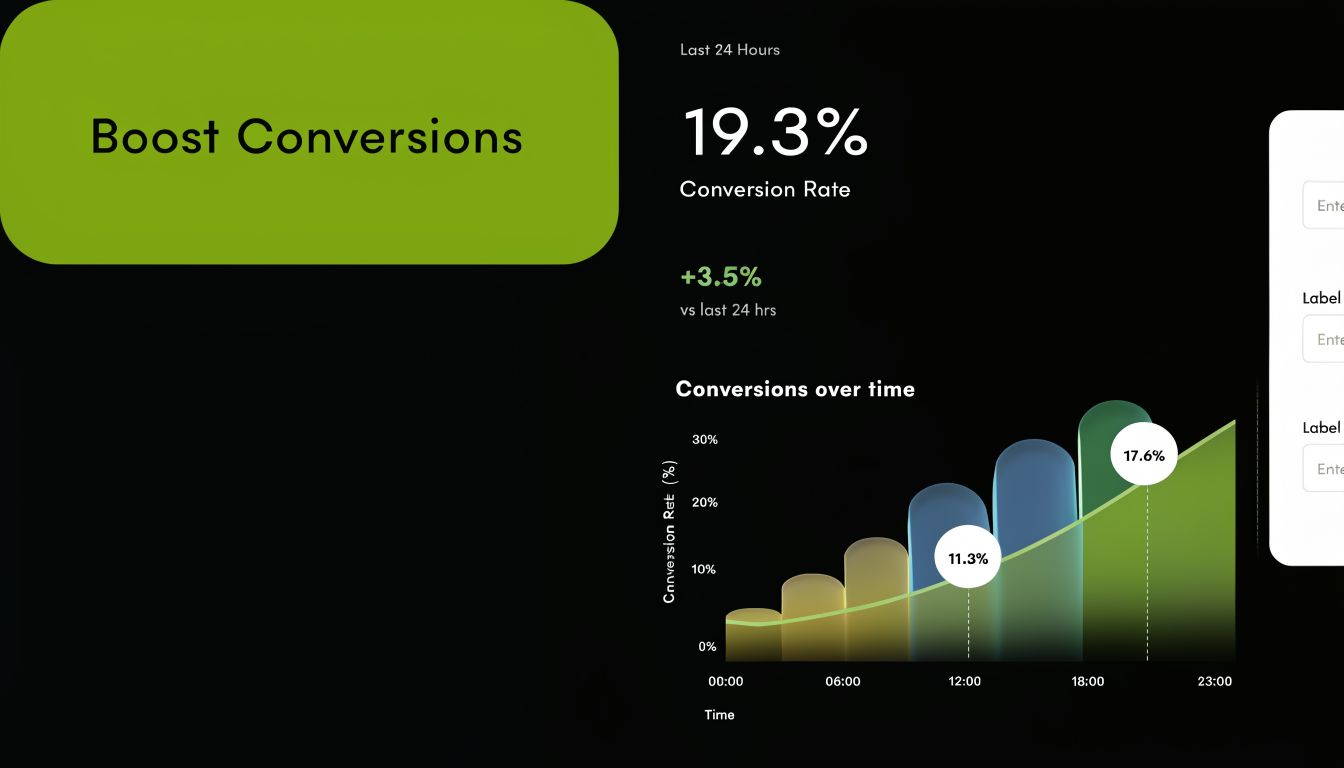
According to ioZen's analysis of AI no-code form builders, AI builders generate forms 8x faster than drag-and-drop, and adaptive forms can boost completion rates by 30-40% by reducing cognitive load, with 25% lower mobile drop-off. That matters because many teams lose users not from lack of interest, but from too much effort packed into a small screen.
A good adaptive flow does three things well:
- Removes irrelevant questions: users answer only what applies
- Improves momentum: each step feels shorter and easier
- Captures cleaner intent: answers reflect the user's actual situation
If you're also working on optimizing landing pages for conversions, form behavior should be part of that work, not an afterthought. The page promise and the form experience need to match.
Logic qualifies leads without adding work
Conditional logic is where forms stop being static and start acting like a routing layer.
You can use logic to ask company-size questions only when someone selects “B2B.” You can send enterprise inquiries down one path and self-serve signups down another. You can reveal budget, timeline, region, or compliance questions only when they're relevant.
This is also where a lot of teams realize their old form setup was costing them time. Without logic, users either see too many fields or your team has to manually follow up later to fill the gaps.
A strong logic system helps you:
- Segment early so sales sees more qualified submissions.
- Reduce form fatigue by hiding unnecessary fields.
- Create better follow-up workflows because the submission already includes the right context.
For a useful companion read, BuildForm's guide to form design best practices is helpful when you're deciding what to ask, when to ask it, and how to keep the flow clear.
This walkthrough shows what modern form experiences can look like in practice.
Integrations and analytics make forms operational
A form that ends with “we'll email you soon” is only halfway done. True value appears after submission.
When your form connects to Slack, a CRM, email automation, Notion, or a payment tool, the submission can trigger the next action immediately. Sales gets a lead notification. Marketing starts a nurture flow. Ops logs the request. Finance sees payment intent. Nobody has to copy data by hand.
Then there's analytics. Not vanity metrics. Useful diagnostics.
Look for analytics that answer questions like:
- Where do people stop?
- Which device types struggle most?
- Which fields create hesitation?
- Do partial submissions reveal abandoned intent?
A form builder should help you improve the next version, not just publish the current one.
That's what separates convenience software from a real conversion tool.
Key Use Cases and Calculating Your ROI
Teams usually don't buy a no code form builder because they love forms. They buy one because some business process is stuck. Lead capture is messy. Survey completion is weak. Event registration takes too much manual work. The common thread is wasted effort between user intent and team action.

Three common ways teams use them
A SaaS marketer launches a demo request flow for two very different audiences. One is small companies comparing tools. The other is larger buyers who need procurement details, team size, and implementation timing. With a no code builder, that marketer can send each segment through a different path without asking every visitor every question.
An ecommerce team uses post-purchase forms to collect feedback, issue details, return intent, or product interest. That sounds simple until you need branded forms, conditional questions, and routing based on order context. A flexible builder turns that from a support burden into a structured customer signal.
An HR team runs internal registrations for training, hiring events, or employee programs. They need forms that are easy to update, easy to brand, and easy to share. They also need data to flow somewhere useful instead of sitting in an inbox.
These examples matter because the return comes from multiple directions at once:
- Faster launch: forms go live when the team needs them
- Lower dependence on developers: routine changes stay with the business team
- Cleaner data collection: better follow-up and less manual cleanup
- Better user experience: fewer irrelevant questions and smoother completion
A simple ROI model
You don't need a finance team to sanity-check the value. Start with three buckets.
| ROI area | What to estimate | Why it matters |
|---|---|---|
| Build cost | Time and budget saved versus custom development | Forms often change more than teams expect |
| Time to launch | How much faster campaigns or workflows go live | Faster release means faster learning |
| Conversion impact | Whether better form UX captures more useful submissions | Small gains at the form can improve all upstream spend |
According to Integrate.io's review of no-code transformation trends, no-code form builders can deliver 70% cost savings on development, save organizations an average of $187,000 annually, and reduce development time by up to 90%. The same source cites Ricoh achieving a 253% return in 7 months. Those numbers won't map perfectly to every team, but they're a strong reminder that the ROI conversation should include labor, speed, and downstream conversion value.
If you want a quick framework to estimate your own numbers, this tool can help you calculate your marketing ROI.
Don't judge a form tool only by subscription price. Judge it by what it saves, what it accelerates, and what it helps you capture.
A related lens is conversion optimization. If you're tightening the handoff from visitor to lead, BuildForm's article on conversion rate optimization techniques is a useful next read.
How to Evaluate and Choose a No-Code Form Builder
A polished demo can hide a lot. Most no code form builder platforms look capable in a template gallery. The difference shows up when your team needs custom logic, secure data handling, or clean handoffs into the rest of your stack.
Questions worth asking before you buy
Start with the workflow, not the feature grid.
Can my team build and edit forms without technical help?
That sounds obvious, but it's the first point of failure. If the interface feels simple until you need branching, validation, or styling changes, you're back in dependency mode.
How far can the logic go before it gets messy?
You want to know whether the builder handles straightforward show-hide rules only, or whether it can support more involved qualification flows without becoming fragile.
Does it connect to the tools we already use?
A form that collects data but doesn't move it is a bottleneck. Native integrations and usable APIs matter because they reduce manual handoffs and reduce errors.
What can I learn from the analytics?
Basic submission counts won't help much. You need visibility into completion, abandonment, and friction points so your team can improve the form instead of debating it.
How is the data protected?
Buyers should pay close attention to this aspect. Enterprise-grade builders may use multi-cloud architectures to provide 99.9% uptime, encrypt data with AES-256 at rest and TLS 1.3 in transit, and support native integrations with tools like Slack and CRMs, as described in Forms Made Easy's discussion of enterprise no-code form architecture. Even if you're not a large enterprise, those are useful evaluation markers.
A short evaluation table
| Question | Strong answer | Weak answer |
|---|---|---|
| Editing experience | Marketers and ops can update forms directly | Changes require dev support |
| Logic depth | Visual logic remains usable as flows grow | Logic becomes confusing fast |
| Integrations | CRM, chat, email, and workflow tools connect cleanly | CSV export becomes the fallback |
| Security | Clear encryption, uptime, and ownership details | Vague trust language |
| Scalability | Supports more forms, teams, and submissions easily | Pricing or features break at growth |
What to ask in the trial
Use the trial to recreate a real form, not a toy example.
- Build a live use case: use your actual lead form, event registration, or survey flow
- Test one complex branch: include at least one path with conditional follow-ups
- Send data somewhere real: connect Slack, your CRM, or an email tool
- Review analytics visibility: check whether drop-off and partial progress are clear
- Check governance: confirm who owns access, branding, domains, and submission data
A buying mistake usually happens when a team chooses the easiest builder to demo rather than the easiest builder to operate six months later.
Avoiding Common Pitfalls with Form Builders
Most vendor pages make form builders sound interchangeable. They aren't. Two issues keep surfacing after teams move beyond simple contact forms.

The complexity ceiling
A lot of tools handle basic conditional logic well. Then the full workflow appears.
You want one path for inbound demo requests, another for partners, another for existing customers, and a different sequence if someone selects enterprise pricing, multiple regions, or a compliance-sensitive use case. Suddenly the visual builder starts feeling cramped, brittle, or hard to debug.
According to Fomr's discussion of no-code form builder limitations, many builders cap out at 3-5 conditional logic layers, while 68% of lead gen forms require more complex flows. That gap explains why teams often feel satisfied during setup but constrained once the form becomes central to lead qualification.
The data custody problem
The second issue is ownership. Forms often collect contact data, pricing intent, HR information, or research responses. When all of that lives in a third-party platform, the convenience is real, but so is the responsibility.
The same source notes that 73% of HR and ecommerce teams cite data privacy on third-party clouds as a major barrier. That doesn't mean SaaS form tools are necessarily unsafe. It means buyers should ask harder questions about storage, access, compliance posture, encryption, and exportability.
If the vendor can explain the UI in detail but can't explain your data options clearly, keep looking.
Here's a practical way to pressure-test a tool before rollout:
- Map your most sensitive form: identify what data you'd least want exposed or trapped
- Trace ownership: check where submissions live and how you can export them
- Stress the logic: build the most complex path you expect to need, not the simplest
- Review failure handling: ask what happens during outages or integration failures
Many teams don't discover these issues until the form is already attached to paid traffic, sales follow-up, or regulated workflows. By then, switching costs feel a lot higher.
How BuildForm Turns Data Capture into a Conversion Engine
The most useful form tools solve the exact problems that show up after launch, not just the ones in a template demo.
For teams dealing with drop-off and form fatigue, BuildForm uses AI-powered adaptive forms and AI-generated questions so the experience can match user intent more closely. For teams trying to move faster, it supports form creation from plain-language prompts, visual editing, conditional flows, and one-line embeds. That combination helps reduce the gap between an idea and a live test.
For the complexity issue raised earlier, BuildForm's visual logic is designed for branching paths without pushing teams back into custom code. For the operational side, it connects with Slack, Notion, CRMs, email tools, and payment gateways so submissions can trigger follow-up immediately instead of waiting for manual routing.
Security and continuity matter too. BuildForm uses a multi-cloud architecture with 99.9% uptime and encrypted storage, which is directly relevant for teams that worry about lost responses or sensitive submissions. Real-time analytics and partial submission tracking also help teams see where users hesitate, then improve the flow based on actual behavior.
If your follow-up motion includes nurture sequences after a form fill, this guide to email marketing strategies for startups is a helpful companion because the form and the email journey should work together. For a closer look at how ongoing optimization works in practice, BuildForm also explains its approach in DeepOptimize and always-on AI for form optimization.
The bigger point is simple. A form builder should help you collect data, qualify intent, protect submissions, and improve conversion over time. If it only gives you fields on a page, it's solving too small a problem.
If your forms are costing leads, slowing launches, or hiding drop-off you can't diagnose, it may be time to try BuildForm. It gives teams a practical way to build adaptive forms, connect them to real workflows, and keep improving performance without waiting on a dev queue.