
Your team launches a campaign on Monday. Leads start coming in. By Tuesday afternoon, marketing has a spreadsheet export, sales is asking who owns follow-up, and operations is cleaning up fields that should have matched in the first place. Nothing is technically broken, but the handoff is slow, messy, and expensive.
That's the core problem behind the integration of forms. A form isn't just a place where someone types an email address. It's the first step in a workflow that decides whether a lead gets routed, enriched, prioritized, ignored, or lost. If the form stops at collection, your pipeline slows down at the moment it should speed up.
I've seen this most often when teams outgrow “good enough” setups. One landing page feeds a CSV. Another sends an email notification. A third pushes into a CRM but skips key context like company size or product interest. The result isn't just admin pain. It's slower lead response, weaker qualification, and lower confidence in reporting.
Table of Contents
- Your Data Is Trapped And Your Leads Are Going Cold
- Comparing the Core Form Integration Methods
- Mastering Advanced Concepts Like Mapping and Conditioning
- Real-World Form Integration Examples and Workflows
- How BuildForm Accelerates and Simplifies Integrations
- A Checklist for Best Practices and Troubleshooting
- Frequently Asked Questions About Form Integration
Your Data Is Trapped And Your Leads Are Going Cold
A common setup looks harmless at first. Someone fills out a “Book a Demo” form. The submission lands in a form tool inbox. Later, a marketer exports the entries into CSV, uploads the file to HubSpot or Salesforce, then posts a message in Slack telling the sales team to check for new leads.
That lag changes the outcome.
A lead who showed clear buying intent now waits while three people touch the same data in three different systems. One field gets renamed. Another gets dropped because the CRM uses a different property. A rep follows up without context, or worse, doesn't see the lead until the next day.

The actual business problem
The integration of forms is often described as a technical task. That framing is too narrow. In practice, it's a revenue operations strategy for moving data from a static submission into an immediate business action.
If a form creates a contact, alerts the right team, starts a nurture path, tags the lead source, and records attribution without manual cleanup, it solves several business problems at once:
- Speed: Sales sees the lead while intent is still fresh.
- Accuracy: The same data doesn't get retyped across tools.
- Scalability: Campaign volume can rise without adding admin work.
- Reporting quality: Lifecycle and source data stay consistent.
Practical rule: If a human has to move form data between systems more than once, the workflow isn't finished.
That's why strong demand generation teams treat forms as part of pipeline design, not just page design. If you're working on inbound lead gen for SaaS companies, this is one of the first operational gaps worth fixing because it affects response time, routing, nurture, and attribution all at once.
What good looks like
A healthy workflow feels boring in the best way. A visitor submits a form. The right contact record gets created or updated. Ownership rules run. Notifications go to the right place. Campaign metadata stays attached. The lead enters the right next step without anyone exporting a file.
That's the point. Good form integration removes drama from the pipeline.
Comparing the Core Form Integration Methods
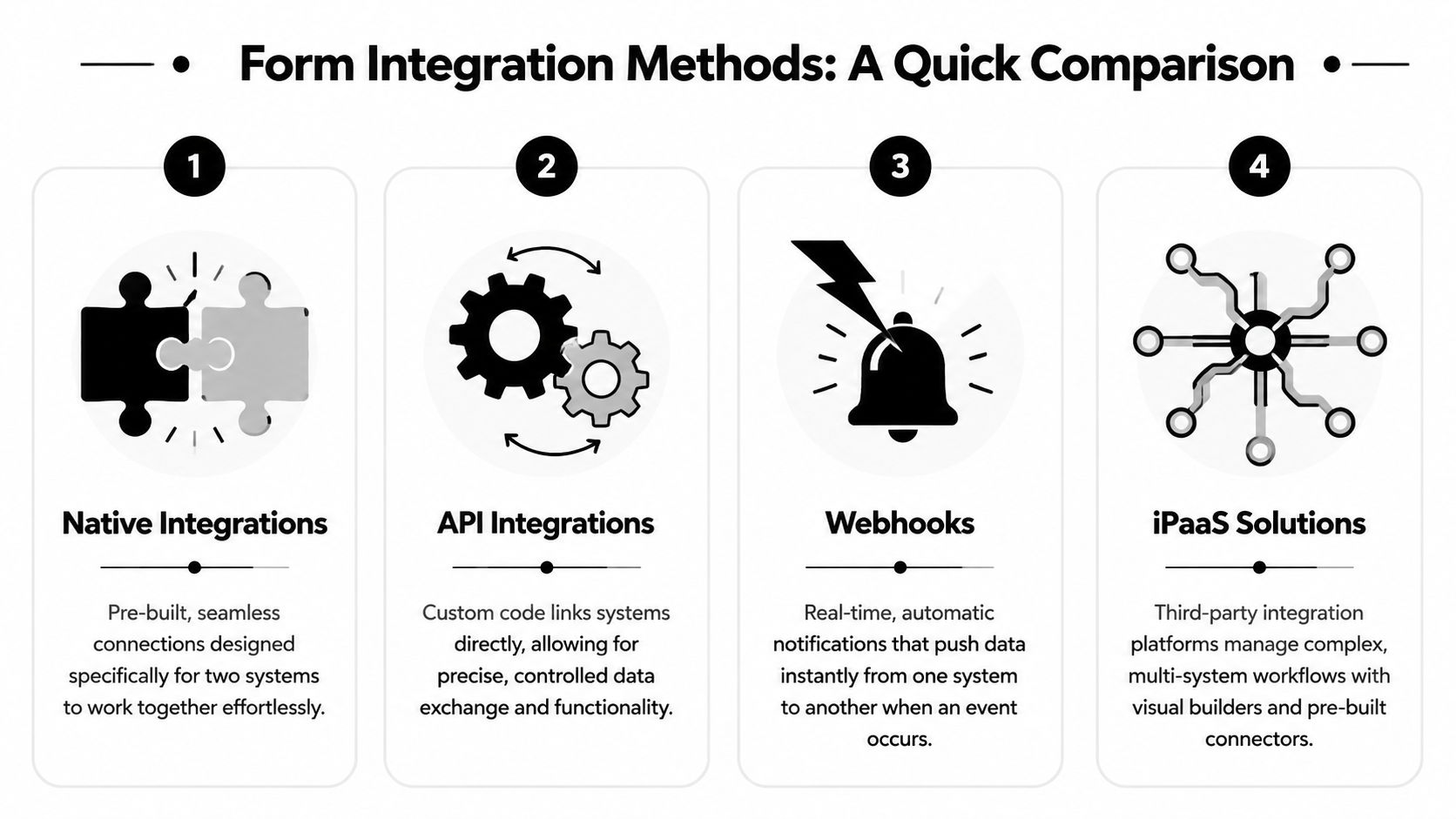
There are four practical ways organizations connect forms to the rest of their stack. Each one solves a different business problem. The mistake isn't choosing the wrong technology in the abstract. It's choosing a method that doesn't match the workflow's complexity, owner, or reliability needs.
Native integrations for straightforward handoffs
Think of native integrations as plug-and-play adapters. The form platform already knows how to talk to a target tool like HubSpot, Slack, Mailchimp, or Notion. You authenticate, map the fields, and switch it on.
This method works best when the business goal is simple and direct. A newsletter signup going into an email platform. A demo request creating a CRM contact. A support form posting into a team channel.
What works:
- Low setup burden: Marketing or RevOps can usually own it.
- Stable use cases: Common objects and standard fields fit well.
- Fast deployment: Good for campaigns that need to launch quickly.
What doesn't:
- Custom logic: You may hit limits when routing depends on several conditions.
- Uncommon systems: Not every internal tool has a native connector.
Webhooks for fast event-based routing
A webhook is an automated doorbell. When a form submission happens, it pushes data somewhere else immediately. No one has to ask for the data. The event itself sends it.
This is a strong option when timing matters and you need a lightweight way to trigger another system. Form submitted, send the payload to an automation layer. Demo requested, notify a qualification service. Application completed, create a record in an internal database.
A webhook is usually the cleanest answer when the form event matters more than the full application relationship.
Webhooks are flexible, but they need more care. You need to know what payload is being sent, where it's going, how authentication works, and what the receiving system expects.
APIs for control and custom business logic
An API integration is the universal translator. It gives developers or technical ops teams direct control over how systems exchange data. You can transform fields, validate records, query existing objects, branch logic, and write back status changes.
Use this when the business goal depends on precision. For example, deduplicating against an existing CRM account before creating a contact. Or routing a form differently based on territory, plan type, and account ownership rules that live outside the form tool.
API work is powerful, but not light. It introduces maintenance responsibility. Someone has to own credentials, schema changes, logging, and failures.
iPaaS tools for cross-system orchestration
An iPaaS tool such as Zapier, Make, or n8n acts like a central switchboard. The form fires one event into the platform, and that platform handles the rest of the workflow across many tools.
This is often the right middle ground for growing teams. It gives non-developers more control than direct API work, while supporting more branching and formatting than a simple native integration.
If you're evaluating ecommerce middleware or catalog syncs alongside form flows, practical implementation articles like Grumspot for Shopify integrations are useful because they show how integration complexity rises as more systems have to stay aligned.
Form Integration Methods At a Glance
| Method | Ease of Use | Flexibility | Best For |
|---|---|---|---|
| Native integrations | High | Moderate | Common one-to-one workflows |
| Webhooks | Moderate | High | Real-time event triggers |
| API integrations | Low for non-technical teams | Very high | Custom logic and deep system control |
| iPaaS solutions | Moderate | High | Multi-step workflows across several apps |
How to choose based on the KPI you care about
- Lead response time: Choose native integrations or webhooks.
- Data quality and routing accuracy: Choose API or iPaaS.
- Speed to launch: Choose native integrations first.
- Cross-functional workflow automation: Choose iPaaS.
- Custom qualification logic: Choose API when no-code rules aren't enough.
The right answer isn't “most advanced.” It's the one that gets the data where it needs to go with the least operational friction.
Mastering Advanced Concepts Like Mapping and Conditioning
Teams usually think the hard part is getting systems connected. The harder part is making sure the data arrives in the right shape and triggers the right next action. That's where form integrations either become dependable or become a quiet source of CRM mess.
Field mapping decides whether your data stays usable
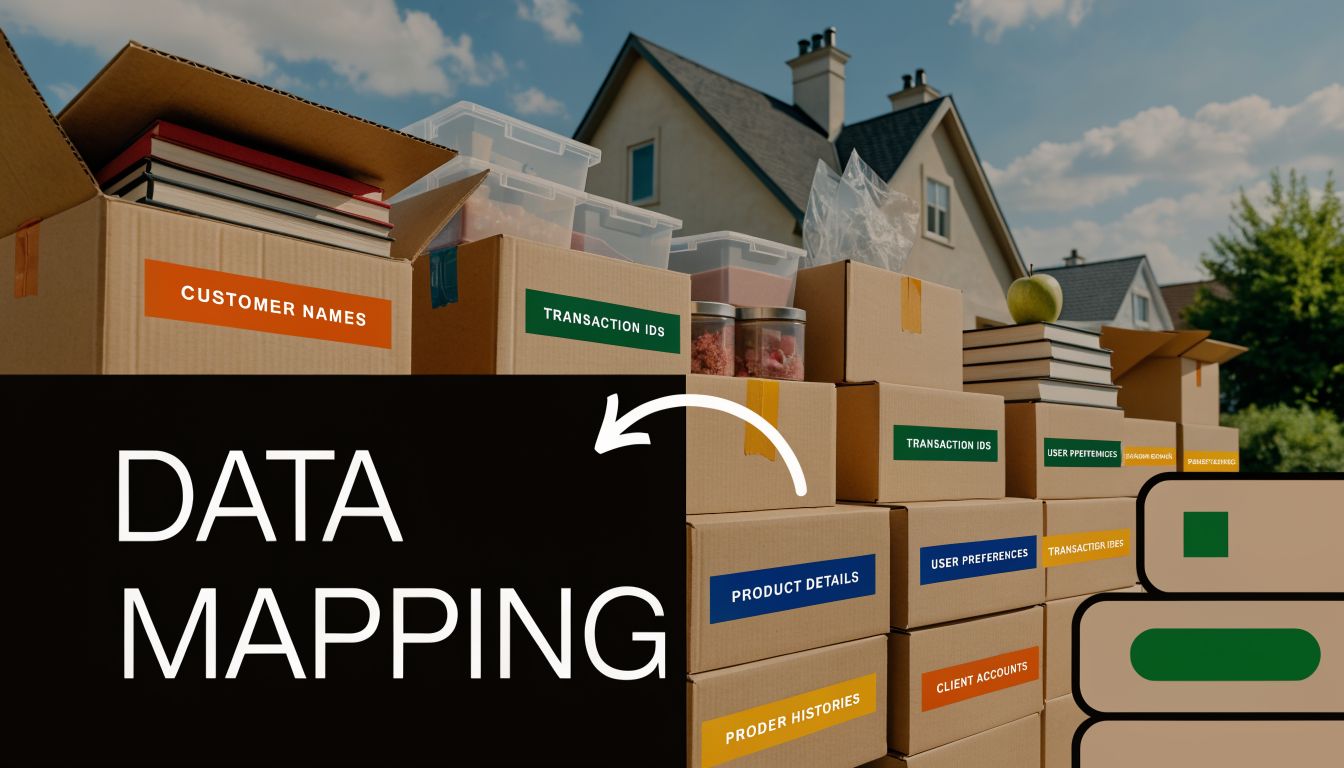
Field mapping is just labeling the moving boxes correctly. Your form has a field called “Work Email.” Your CRM has a property called “Email.” Your webinar tool might call it “Registrant Email.” If those don't align, the data lands in the wrong place or doesn't land at all.
The business impact is immediate. Sales segmentation breaks. Lifecycle reporting gets noisy. Nurture rules miss people because one system stored “Company Size” as free text while another expects a controlled value.
A few practical rules help:
- Match field types: Text, dropdown, checkbox, and date fields shouldn't be treated as interchangeable.
- Standardize naming early: “Phone,” “Phone Number,” and “Mobile” create cleanup work later.
- Map hidden fields carefully: UTM source, campaign, and landing page context matter if you care about attribution.
- Test updates as well as creates: Some workflows should update existing contacts instead of creating duplicates.
For teams working through CRM handoffs in more detail, this guide to CRM API integration patterns is a useful companion because it shows where field logic usually breaks when systems become more connected.
Conditional logic decides what happens next
Conditional logic works like a mail sorter. It reads the submission, then routes the record based on the answers.
A few examples:
- A high-intent demo request goes to Salesforce and alerts the account executive in Slack.
- A low-intent content download goes to HubSpot and enters an email nurture sequence.
- A support request bypasses sales entirely and creates a help desk ticket.
That logic matters because not every lead deserves the same path. Good operations design protects sales time and improves buyer experience at the same time.
Don't automate every submission the same way. Route based on what the answer means, not just the fact that a form was submitted.
Security and compliance basics that teams skip too often
The most common security mistakes are ordinary ones. Teams send data over the wrong endpoint, leave old webhooks active, or pass credentials around in ways no one documents.
Keep the basics tight:
- Use HTTPS endpoints: Data in transit should be protected.
- Store API keys carefully: Don't bury credentials in public docs or ad hoc messages.
- Send only the fields you need: Less data moving around means less exposure.
- Audit active integrations: Old connections keep firing long after teams forget about them.
- Review privacy-sensitive fields: Especially for recruiting, payments, or regulated workflows.
Smart integration of forms isn't only about movement. It's about controlled movement.
Real-World Form Integration Examples and Workflows
The easiest way to judge an integration method is to look at the business outcome it creates. Not the connector. Not the payload. The outcome.
Marketing workflow from capture to nurture
A paid campaign drives traffic to a landing page with a content offer. A visitor fills out the form with name, work email, role, and product interest. The form submission triggers three actions in sequence.
First, the contact is created or updated in HubSpot. Second, the campaign source fields are attached so attribution stays intact. Third, the contact is enrolled in a nurture sequence that matches the selected interest area.
This is a classic marketing workflow because the goal isn't just collection. It's continuity. The lead should move from conversion to follow-up without waiting for a person to sort submissions manually.
Sales workflow for demo requests and routing
A “Request a Demo” form needs tighter handling. The form captures company name, team size, region, current tool, and timeline. Once submitted, the workflow creates or updates the account and contact, assigns ownership based on territory or segment, and sends a Slack alert to the correct rep with the key qualification details.
That setup shortens the distance between interest and action. Reps don't need to dig through inboxes or ask marketing for context. They open the alert and know who the buyer is, what they asked for, and where the conversation should start.
If you want more applied patterns for multi-step routing and post-submit automations, this collection of workflow automation examples is useful because it mirrors how marketing and RevOps teams structure real operating flows.
Operations examples beyond lead gen
Form integration matters well beyond demand capture.
For ecommerce, a checkout-adjacent form might collect wholesale inquiries, preorder requests, or post-purchase support details and route them into fulfillment, CRM, and service systems. If payment experience is part of that buying path, implementation resources like this Shopify PayPal Express Checkout setup guide help teams think through how forms and payment touchpoints need to align operationally.
For HR, a candidate application form can create a recruiting record, notify the hiring manager, and store files in the right repository. The gain is consistency. Recruiting teams stop chasing attachments across email threads.
For research and education, a survey can write responses to Google Sheets or a database while tagging submission source and timestamp. That's especially useful when several stakeholders need access to live responses but shouldn't all touch the original form system.
Here's the common thread:
- Marketing wants continuity
- Sales wants speed and context
- Ecommerce wants operational handoff
- HR wants organized intake
- Research teams want clean data access
Different departments, same core principle. The form should start the workflow, not end it.
How BuildForm Accelerates and Simplifies Integrations
Many teams don't struggle because they lack ideas. They struggle because the gap between “we know the workflow we want” and “it's live and reliable” is wider than expected.
Where it fits in a modern stack
A form platform earns its place when it handles both capture and downstream action without forcing every workflow into developer hands. That's where BuildForm fits well for growth teams. It supports native connections with tools such as Slack, Notion, CRMs, email tools, and payment gateways, and it also supports webhook and API-based setups for teams that need more custom behavior. Its form creation and intelligence features also matter operationally because the form logic, data capture, and routing decisions live in the same working environment.
That combination is useful for a new marketing manager because it reduces the number of handoffs required to launch something practical. You don't need one tool for the front-end form, another for basic logic, and a separate workaround for every branch in the flow.
Why visual logic changes who can own automation
No-code visual logic is more important than generally understood. It shifts workflow ownership closer to the people who understand campaign intent.
A marketer can build rules such as:
- Send enterprise demo requests to sales immediately
- Route partner inquiries to a separate pipeline
- Show different follow-up questions based on product selection
- Push partial submissions into an alert channel for recovery workflows
That matters because business logic changes often. New campaigns launch. Segmentation evolves. Sales territories change. If every adjustment requires a dev sprint, the workflow lags behind the business.
A short product walkthrough helps show what that ownership model looks like in practice:
The strongest form stack is the one your team can actually maintain after launch.
Template libraries help too. They don't replace good operational design, but they do shorten the path from blank screen to functioning workflow. For teams that need to ship lead gen forms, registrations, or qualification flows quickly, that's often the difference between a workflow that gets built now and one that sits in backlog.
A Checklist for Best Practices and Troubleshooting
A reliable integration of forms usually comes down to discipline, not complexity. Teams get into trouble when they publish quickly and skip verification.
Best practices before you publish
- Document the flow: Write down the trigger, destination systems, mapped fields, owner, and expected result.
- Test the full path: Submit the form and confirm the record appears correctly in every downstream tool.
- Check update behavior: Make sure existing contacts update correctly instead of creating duplicates where they shouldn't.
- Validate conditional branches: Run test submissions for each important route, not just the happy path.
- Limit unnecessary fields: Only send what downstream teams or systems need.
- Name fields consistently: Standard names reduce reporting cleanup and admin confusion later.
Troubleshooting when data stops moving
Start with the simplest failure points first.
Authentication issue
Recheck API keys, tokens, or connected accounts. Expired credentials cause silent failures more often than teams expect.Field mismatch
Compare the form field values against the destination field type. Dropdown-to-text and multi-select mismatches are common trouble spots.Conditional rule blocked the action
Review the rule logic against an actual failed submission. One wrong condition can stop the entire route.Webhook or endpoint problem
Confirm the destination is live and still expecting the same payload format.Workflow changed downstream
A CRM admin may have renamed, deleted, or required a property after the form was originally configured.
Check one real failed submission from start to finish before changing five settings at once. Most integration bugs are narrower than they first appear.
Frequently Asked Questions About Form Integration
Can one form send data to multiple applications at the same time
Yes, if the form platform or automation layer supports multiple actions. A single submission can create a CRM record, notify Slack, and add the lead to an email workflow. The important part is deciding which system is the source of truth.
When should I use a native integration instead of Zapier or another iPaaS tool
Use a native integration when the workflow is simple, stable, and directly supported. Use an iPaaS tool when you need branching logic, formatting, or several systems to act on the same submission.
Are webhooks better than APIs
Not generally. They solve different problems. Webhooks are strong for event-driven pushes. APIs are stronger when you need custom logic, validation, or two-way interaction.
What's the biggest mistake in form integration projects
Poor field design. Most failures don't come from the connector itself. They come from unclear data definitions, weak mapping, and routing logic that no one owns.
How should teams handle integration errors and retries
Use tools that provide logs or execution history, then review failed submissions quickly. If a workflow matters to pipeline or customer experience, assign an owner who checks failures regularly instead of assuming the automation is self-managing.
If your team wants forms to do more than collect entries, BuildForm is worth evaluating. It gives marketing, sales, and RevOps teams a way to launch adaptive forms, connect them to the rest of the stack, and turn submissions into usable workflows without relying on manual handoffs.